That’s how I code nowadays: I start a session, the agent writes the change, and I review it before any of it goes to GitHub. The bottleneck shifted from producing code to reviewing it, and your own machine is a cheap place to do that, with the session that wrote the code still open to fix what you find.
See every change with git
git status --short -uall       # uncommitted changes, untracked files marked ??
git diff --merge-base main     # commits and uncommitted edits, against main
Don’t stop at plain git diff, because an agent that commits as it goes can leave it completely empty while the branch holds a day of work. Open the untracked files yourself, since no row below shows them. Swap main for whatever your branch will merge into, and if your local copy is behind, run git fetch and use origin/main.
| Command | Shows | Leaves out |
|---|---|---|
git diff | Unstaged edits to tracked files | Staged edits, commits, new files |
git diff --staged | Staged changes | Unstaged edits, earlier commits |
git diff HEAD | Staged and unstaged edits | Commits on the branch, untracked files |
git diff main...HEAD | Commits on the branch | Anything uncommitted |
git diff --merge-base main | Commits and uncommitted edits | Untracked files |
What to read first
Start with intent. Re-read what you asked for, then check that the change does that and not something close to it. After that, look for calls and options that don’t exist, and for tests that only repeat what the code does. The full list is in the AI-generated code checklist. You still have to read the code anyways, and once you open the PR the output is on you (self-review matters more when you didn’t type it).
Send your notes back to the agent
A terminal diff gives you nowhere to leave a comment, so you end up retyping file names and line numbers into the chat. That’s the part I built local review for in Pyor (my product, free for individuals). Install the desktop app, open it and sign in, then in Claude Code run:
/plugin marketplace add Pyor-review/pyor-cli
/plugin install pyor@pyor
/pyor:review
For Codex, Cursor, and other agents, install the skill instead and invoke pyor-review:
npx skills add \
  https://github.com/Pyor-review/pyor-cli/tree/main/plugins/pyor/skills/pyor-review
You need git and node on your PATH. The app opens the branch with its committed diff and your uncommitted changes, and it updates as you edit. By default, the review also groups the files and pins short hints to lines worth a second look. In Claude Code, fresh sub-agents that haven’t seen your session write them. Run /pyor:review plain if you only want the diff. The plugin’s README has the other options.
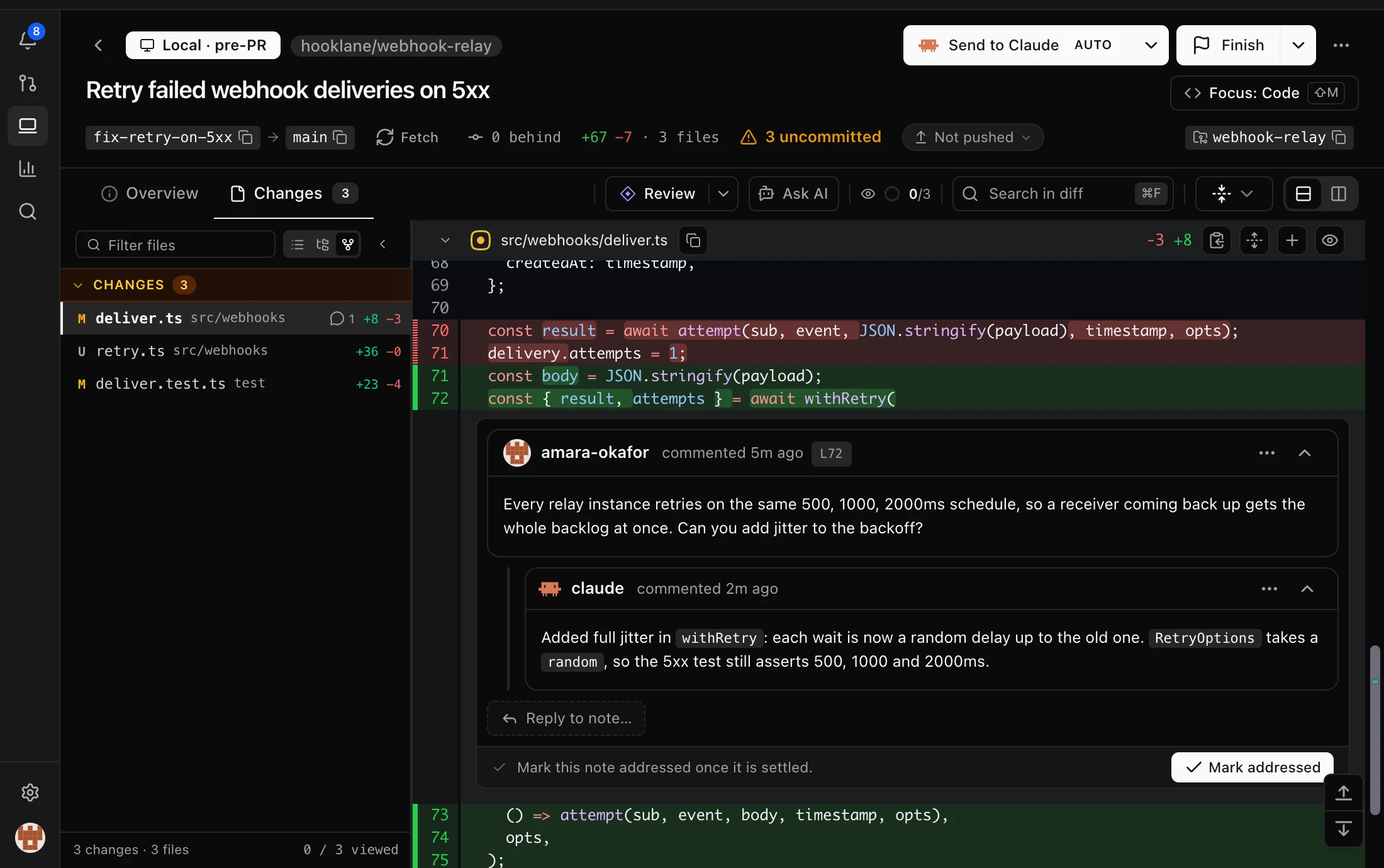
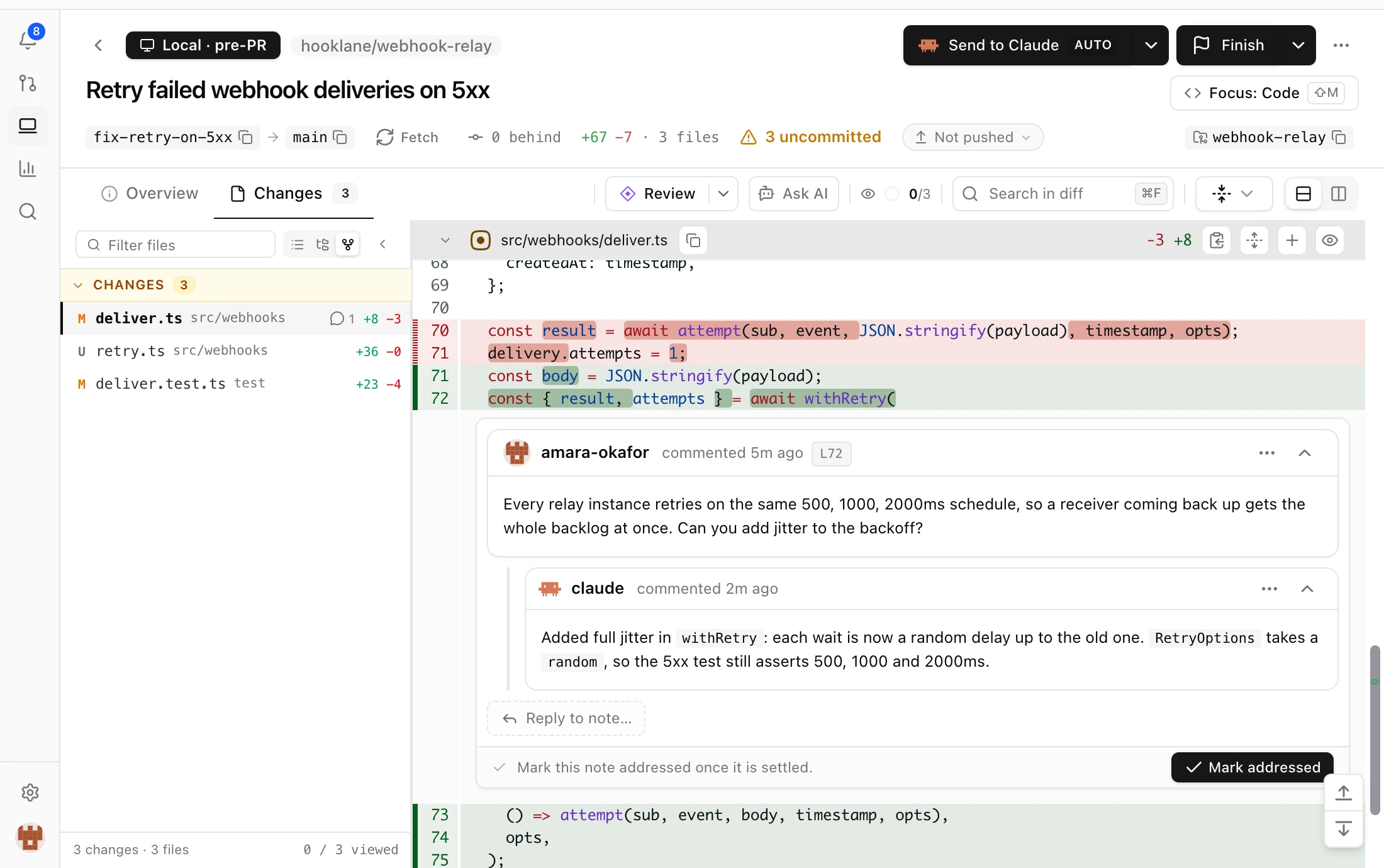
Comment on a line and, with Send notes as I save them on (the default), the note is sent when you save it. A session that’s waiting for notes picks it up and answers under it, and otherwise it gets the note on its next check. When you’re happy, Finish sends the session one more instruction: by default, commit what’s left, rebase onto the base, resolve conflicts, and open the pull request.
Without a linked session, open Local reviews, add the repository, and create a review from a worktree, a head branch, and a base. Export for LLM… on the Overview tab saves your notes to a folder, in Markdown and JSON, that you can hand to any agent. The local reviews guide covers the rest.
When git diff is enough
A few lines in one file don’t need an app. Read the diff in your terminal, tell the agent what to fix, and move on. A review app helps when the change spans many files, when you have several notes you want answered one by one, or when agents are working in more than one worktree and you’d lose track of which diff you already read. If you’re weighing this against reading the branch in your editor, local vs. browser review goes through the trade.
Frequently asked questions
Can I review uncommitted changes before opening a pull request?
Yes. git diff HEAD shows staged and unstaged edits to tracked files, and git status --short -uall lists the untracked files it leaves out. A local review in the Pyor desktop app shows the committed diff against your base plus the uncommitted changes.
Do local review notes show up on GitHub?
No. Pyor doesn’t post local review notes to GitHub. You can send them to the coding session that opened the review, or export them to a folder for any agent.
Does this work with Codex, Cursor, or other coding agents?
The git commands work with any agent. Pyor ships a Claude Code plugin, and a pyor-review skill that you can install into Codex, Cursor, and other agents with npx skills add.
Do I need the Pyor desktop app for local reviews?
Yes. A local review reads git on your disk, so it needs the desktop app for macOS, Windows, or Linux. The web app reviews pull requests that are already on GitHub.